

AI dictation for macOS & Windows
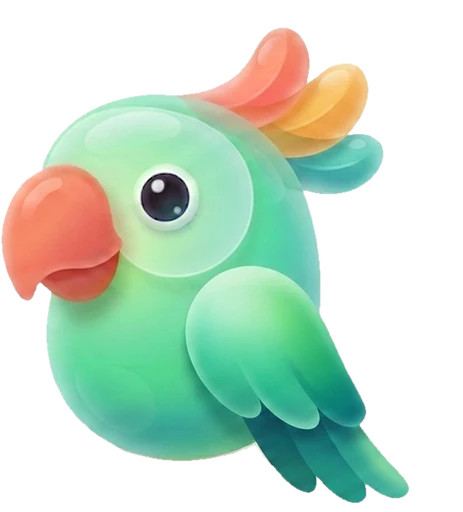
Parrots repeat. Dictorio rewrites.
Dictorio turns your voice into polished text — not a raw transcript. In any app, in 50+ languages, even offline. 4× faster than typing.*
macOS 14+ · Apple Silicon
Windows 11+
7-day free trial · No card, no account · No subscription
*Speech averages ~150 words/min; typing ~40. Details below.
Say it messy. Send it clean.
Built-in dictation writes down what you said. Dictorio writes what you meant.
The "umm", the backtracking, the missing commas — Dictorio rewrites it all before the text ever lands in your document.

Three contexts — scroll, or tap to compare.
so umm I wanted to email him about the June invoice I think there's an error in the amount could he check and umm let me know
Hi — I'm writing about the June invoice; I believe there's an error in the amount. Could you check and let me know? Thanks in advance.
hey so like can you send me the deck before the umm call at 3
Hey — could you send me the deck before the 3pm call? Thanks!
note to self umm follow up with the design team about the onboarding flow and the empty states
Note to self: follow up with the design team on the onboarding flow and the empty states.
AI correction runs 100% on your computer in Privacy Mode.
One key. Zero learning curve.
-
Hold the talk key.
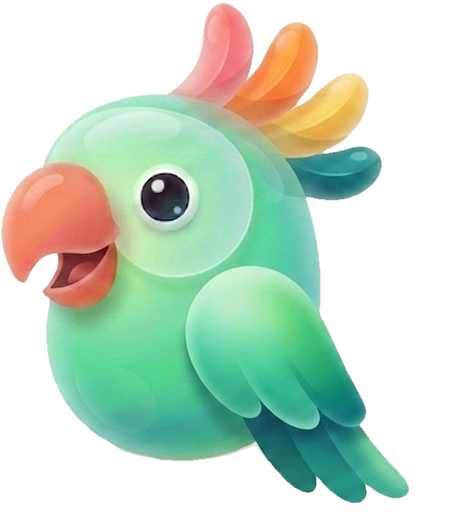
Dictorio waits next to your clock. Touch the key — the parrot perks up.
-
Talk like a human.
With the "umms", with mid-sentence corrections, like you'd talk to a colleague. The parrot talks along.
-
Let go.
Polished text lands wherever your cursor is.
No windows to open. No copy-paste.
You speak ~150 words a minute. You type ~40.
4× faster than typing.
~1 hour a day reclaimed — if writing is your job.
0 words leave your machine in Privacy Mode.
Based on widely accepted averages for speaking and typing speed. Yours may be better — especially if you type with two fingers.
Anywhere you can type, you can talk.
Dictorio isn't another window you paste from. Text lands directly in the app you're already in.

umm yeah on it — I'll push the fix and uh update the ticket before standup
 Mail
MailHi — I'm on it: I'll push the fix and update the ticket before standup.
 Slack
SlackOn it — I'll push the fix and update the ticket before standup.
 Notion
To do — push the fix, update the ticket. Deadline: standup.
 WhatsApp
On it! Fix + ticket before standup.
 Cursor
Push the fix. Update the ticket. Both need to land before standup.
 Terminal
Push the fix, then update the ticket — before standup.
Email-formal in Mail. Quick in Slack. Precise in your editor.
The six above are the demo. Here's the rest of the flock.
 Outlook
 Gmail
Gmail Word
Word Pages
Pages Google Docs
 Notes
Notes Obsidian
 Bear
Bear Craft
Craft Telegram
 Messages
 Signal
 Discord
 Teams
Teams Zoom
Zoom Chrome
 Safari
 Arc
Arc Firefox
 VS Code
 Xcode
Xcode iTerm2
 ChatGPT
 Claude
 Figma
Figma Linear
 Jira
Jira Trello
 Things
 Todoist
…and every standard text field
All app names and logos are trademarks of their respective owners. No endorsement implied.
Not just dictation. A voice-powered writing desk.
-
Select. Say it. Done.
Highlight any text, hold the edit key, and say what to do: "cut this in half", "translate to Spanish", "make it a list". Dictorio edits in place.
-
Knows where you are. Writes accordingly.
An email in Mail, a casual message in Slack, a tight note in Notes — Dictorio matches its style to the active app.
-
Your names, never mangled.
Client names, project codenames, industry jargon — add them to your dictionary and Dictorio stops mishearing them.
Plus: your last 1,000 dictations on hand, with stats on the hours you've reclaimed from the keyboard.
The shallow reason

Also: it's very, very good-looking.
You'll glance at this bird a hundred times a day, so we made it worth the glance — a glass parrot whose crest ruffles when you get loud. Utility is why you'll keep Dictorio. The bird is why you'll show it to someone.
And if you'd rather not see me — I can be invisible too.
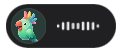
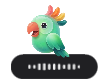
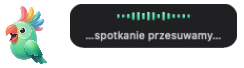

Charm is a feature. It ships enabled by default.
Speak any of 50+ languages. The parrot keeps up.
English, Spanish, German, Japanese, Polish — with AI polishing in the languages we've tuned and tested, more on the way. Switch mid-project, even mid-thought.

App interface in English and Polish today; German, Spanish and French rolling out.
Prompts are paragraphs now. Speak them instead.
A good prompt is three sentences of context, not a keyword. Say them — Dictorio hands your agent clean text, straight into the terminal or editor. The agent writes the code. You just say what should exist.
- Prompts, 4× faster than typing — long context without the wrist tax.
- Works in Terminal, Cursor, and every IDE with a standard text field — wherever the cursor blinks.
- Command mode on the agent's output — select a wall of response and say: "summarize this".
Keep your hands on the keyboard for shortcuts. Say the rest.
Privacy Mode
Your voice never leaves your computer.
Full privacy. Guaranteed. In Privacy Mode, everything — your voice, your half-formed thoughts — stays on your machine. No account. No uploads. No "improving our models with your data".
Hears everything. Repeats it to no one.
- Works offline. Turn off the internet and keep dictating. That's not a setting — it's proof.
- Nothing to leak. Even the AI polish is your computer's own work — no server call, no logs, no third party. Your words never phone home.
- You decide. Want maximum quality? Switch on Cloud mode — and this guarantee ends: your words travel, encrypted, to the model you chose. We'd rather say it here than on page 14 of a policy.
Offline correction, a license you own forever, and no account — find all three anywhere else.
The only bird that hears your dictation perches next to your clock.

No subscription. Ever.
Own Dictorio once — then pay only for the AI you actually use.
Typical dictation apps: $12–15/month, forever.
Every download starts a 7-day free trial — every feature, on-device. No card, no account; cloud top-ups sold separately.
Dictorio $59 once — yours forever, after the free trial
- Unlimited dictation, fully on-device
- Local AI correction, command mode, context modes
- Dictionary, 1,000-entry history + stats, all five panel styles
- Works 100% offline · Privacy Mode built in · Free updates within v1.x
You buy in the app after your 7 days — for less than four months of a typical dictation subscription.
Cloud models pay-as-you-go — only when you want them
Want a bigger cloud brain for the polish? Add a small balance in the app and it depletes only as you dictate — no meter running while you sleep, and your balance never expires. You pick the model: Eco, Standard, Plus or Pro; heavier brains burn faster.
Optional, always. Cloud mode sends your audio to the model you picked — Privacy Mode never does.
Only one bird checks every box.
| Feature | Dictorio | Subscription apps | Pay-once apps |
|---|---|---|---|
| Pay once, yours forever | Yes.$59, once | No.$12–15/mo, forever | Yes.them too |
| Cloud AI without a subscription | Yes.prepaid top-ups | No.bundled in the fee | Partly.your own API key |
| Unused money keeps its value | Yes.balance never expires | No.month ends, gone | No.nothing to prepay |
| Works fully offline | Yes.Privacy Mode built in | Partly.mostly cloud | Yes.usually local |
| No account required | Yes.license key, no login | No.account first | Yes.license key only |
| Comes with a parrot | Yes.crest ruffles | No.no bird | No.no bird |
Category snapshots from our July 2026 research — subscription: Wispr Flow, Willow, Aqua Voice; pay-once: VoiceInk, MacWhisper. Two years of a $12–15/mo subscription: $288–$360. Two years of Dictorio: $59 + only the top-ups you chose. Figures checked July 2026.
Questions, answered.
My computer already has free built-in dictation. Why pay?
Built-in dictation — on any platform — writes down what you said: "umms", misheard words, no punctuation. Dictorio writes what you meant: it removes the stumbles, punctuates, matches the style to the app you're in, and edits selected text on command. The difference between a tape recorder and an editor.
Does it really work offline? And where does my voice go?
In Privacy Mode: nowhere. Speech recognition and AI correction both run entirely on your computer — turn off the internet and keep dictating. Nothing is uploaded, nothing is stored on our servers, nothing "improves our models". If you switch on Cloud mode, that promise changes and we say so plainly: your audio is sent, encrypted, to the cloud model you picked, processed, and returned. Cloud mode is always an optional switch, never a requirement — and the toggle tells you which mode you're in.
What happens after the 7-day trial?
You buy Dictorio once — right in the app — $59, yours forever. Or the trial simply ends until you decide. No card at download, so nothing auto-charges. Cloud top-ups are optional and separate: you only pay when you buy a pack, and your balance never expires.
What do I need to run it?
On a Mac: macOS 13+; Dictorio's local AI is built for Apple Silicon. On Windows: Windows 11+.
Which languages can I dictate in?
50+ languages for dictation, with AI polishing tuned and tested in a growing set — English, Polish, Spanish, German and French first. App interface in English and Polish today, more rolling out.
What if it's not for me? How do refunds work?
Every purchase comes with a 30-day money-back guarantee: write to support within 30 days of purchase and you get your money back — no forms, no interrogation.
Is there a Windows version?
It's on the way — the download goes live the moment the installer ships. Leave your email under any download button and we'll email you once, when it ships.

Dictorio
Your next 500 words: type them — or just say them.
Dictate your first email in minutes. 4× faster than typing — parrot included.
Hold fn speak done.
macOS 14+ · Apple Silicon
Windows 11+
7-day free trial · No card, no account · No subscription